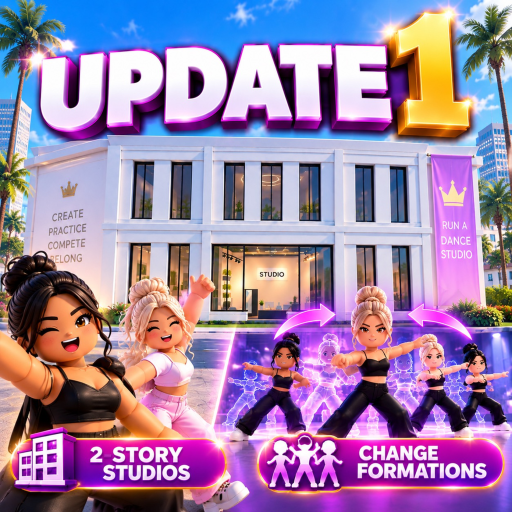
Run a Dance Studio Updates
Quick answer
Where to verify Run a Dance Studio updates and patch-sensitive claims.
Quick Answer
Run a Dance Studio update claims should be checked against the Roblox listing and official social posts before they are treated as current. Public snippets describe launch features such as building, designing, training, routine creation, competitions, and rewards, but exact patch notes were not available as a complete official changelog in the evidence pass.
Update Check Route
- Open the Roblox experience page and check the description, title, badges, and update timestamp shown by Roblox.
- Review public posts from Run a Dance Studio accounts for feature announcements.
- Compare any community claim with what appears in the live game UI.
- Update guide pages only when a source or in-game observation changes the player decision.
Patch-Sensitive Facts
Codes, gamepass sale status, rewards from competitions, pack contents, and routine limits are all patch-sensitive. They should have a visible checked date. Broad beginner advice can last longer, but exact values should not be guessed.
FAQ
Does this page list every patch?
No. It lists a verification process and the public evidence status. A full changelog needs official patch notes or repeated in-game capture.
What changed most recently?
The launch evidence pass confirmed core public positioning around building, designing, training, routines, competitions, cash, gems, packs, and gamepasses.
Source Notes
This page uses public evidence collected on September 7, 2026: the official Roblox experience page for Run a Dance Studio by Dance Interactive, Creator Exchange's public game record, Roblox's universe game-pass API, and public official-social snippets surfaced in search results. Exact rates, hidden requirements, and menu positions can change after updates, so any step that depends on a live in-game menu is written as a check rather than a fixed claim.
Practical Verification Routine
Before acting on a claim from a comment, short video, or copied wiki page, compare it with what the current Roblox client shows. Join the experience from the official listing, open the relevant menu, and check whether the words on this page still match the live interface. If the live game shows different wording, the live game wins and the page should be rechecked.
For launch players, the best use of this guide is sequencing. Start with a low-risk action, observe the result, and only then spend Cash, Gems, Robux, or time on a repeated strategy. This is especially important for Run a Dance Studio because public evidence confirms the broad systems but not exact rates, hidden score formulas, or every unlock requirement.
Evidence Boundary
Confirmed public facts include the Roblox experience identity, Dance Interactive as the creator line, simulation-style public metadata, no confirmed working code row during the September 7, 2026 pass, the visible Roblox gamepass rows, and official-social snippets about building, designing, training, routines, competitions, Cash, Gems, packs, dancers, songs, costumes, and teachers. Anything beyond that should be treated as a live-game observation target, not a fixed published value.
Player Decision Checklist
Use this page when you are about to make a decision that costs time, currency, or Robux. If the next step only teaches the interface, try it freely. If it asks for a purchase, repeated competition entries, or a pack opening, pause long enough to confirm the current wording in the game. A reliable launch guide should help you avoid bad assumptions, not pressure you into copying a claim that may have changed after an update.
When new evidence appears, the update should answer three questions: what changed, where it was seen, and what a player should do differently. If those answers are missing, the claim belongs on a watchlist rather than in the main advice.