Run a Dance Studio Formations – How to Change Formations
Quick answer
How to use multiple formations in one Run a Dance Studio routine and check that changes save correctly.
Quick Answer
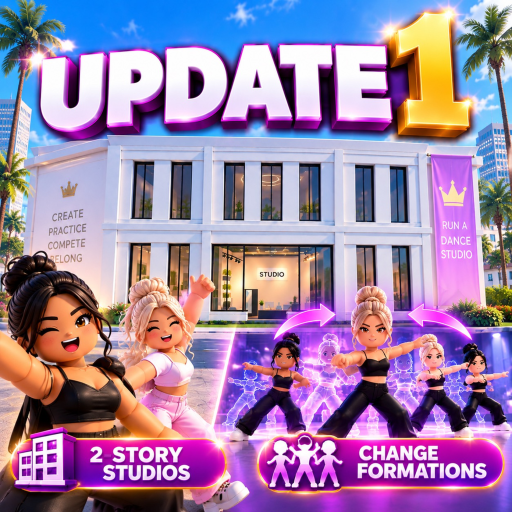
Public Update 1 coverage reports that Run a Dance Studio added multiple formations within the same dance on September 4, 2026. Use the live routine editor to create and preview formation changes; do not assume every older routine was automatically updated.
How to Use Multiple Formations
- Open the routine editor and load the dance you want to update.
- Set the first formation with the dancers and music currently available to you.
- Add a second formation or transition if the editor exposes that control.
- Preview the routine and check that dancers move into the intended positions.
- Save, reopen, and preview again before using the routine in a competition.
If a Formation Will Not Save
Check that the current routine editor shows the change before leaving the page. Reopen the saved routine, confirm the formation count and preview, then capture the current UI wording if the result differs. The public evidence does not establish a universal formation limit or fixed transition rule.
Step-by-Step Formation Check
Before changing formations, decide what the routine needs to communicate. Put the strongest dancer or soloist where the player can see them, then place supporting dancers in a shape that does not hide key moves. Save the first formation as a baseline before adding another one.
When you add a second formation, preview the transition instead of only checking the final pose. A formation that looks good when paused can still look messy if dancers cross through each other or move too late. After previewing, save the routine, close it, reopen it, and preview again. That final reopen check is the best guard against using an unsaved formation in competition.
Practical Formation Ideas
Use a simple line for clean beginner routines, a centered lead shape for solo-focused group dances, and wider spacing when recording with Dynamic Cameras. If the routine includes several dancers, avoid placing every dancer at the front because overlapping bodies can hide moves and make the recording harder to read.
Common Problems
If dancers do not move, confirm the formation change is attached to the routine section you expect. If the editor shows the change but the competition version does not, reopen the routine and save again before entering. If an older routine has no formation controls, create a fresh copy in the current editor and test there.
FAQ
Do formations guarantee a higher score?
No fixed score gain is confirmed here. Formations help presentation and routine clarity, but scoring details should be checked in the live game.
Should beginners use many formations?
No. Start with one or two clean changes and focus on saving correctly.
Are formation limits confirmed?
Not from the current evidence used here. Use the editor's current limit if it displays one.
Player Workflow Example
For a simple beginner group routine, start with a clean opening shape, then add one formation change near the most visible move. Preview the full routine and watch whether the dancers arrive before the move starts. If the transition is late, simplify the change or move it earlier in the routine timeline.
For a routine you plan to record, use formations with the camera view in mind. A wide formation can make every dancer easier to see, while a tight formation can make the lead dancer stand out. Neither is automatically better. The right choice depends on whether you want a clean group showcase, a soloist-centered moment, or a competition-ready routine.
Save and Competition Check
After saving, reopen the routine before entering a competition. This is especially important after updates, because editor features can change faster than old routines. If the reopened version looks correct, use that saved routine for your next competition. If it looks different, fix and save again before spending entry time on a run that may not show the routine you intended.
Evidence Update Triggers
This page should be updated if the live editor publishes a fixed formation limit, named formation types, scoring effects, or a permanent transition rule. Until those details are confirmed, the guide focuses on player-visible checks: create, preview, save, reopen, and test.
Source Notes
The September 4 feature timing is supported by the public updates coverage and routines coverage. The official Roblox listing confirms the experience identity. The live routine editor is authoritative for current controls.
Choose your next move
Related Guides
Once this question is solved, continue to the next decision without returning to search.
How to Build a Second Story in Run a Dance Studio
What the Run a Dance Studio second-story update confirms and what to check before spending Cash.
How to Play Run a Dance Studio Roblox – Beginner Guide
A first-hour guide for starting Run a Dance Studio on Roblox.
Run a Dance Studio Cash and Gems Guide
Evidence-aware guide to Cash, Gems, competitions, and packs in Run a Dance Studio.
Run a Dance Studio Competitions Guide – How to Enter and Prepare
How to prepare for competitions in Run a Dance Studio without relying on unverified reward claims.